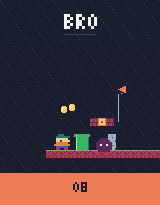
O88-bit
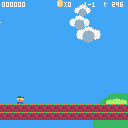 ▶ PLAY BROSIDE-SCROLLING PLATFORMER
Small screen. Big personality.
Sprites, chiptunes, and a tiny Lua playground. Start here and make every pixel count.
- screen
- 128×128
- colours
- 16 fixed
- cartridge
- 32KB
THREE MACHINES. ONE FANTASY CONSOLE FAMILY.
Small machines. Real games. Yours to make.
Build a world in Lua, draw every pixel, and save the whole thing as a PNG cartridge. Make it yourself or with an agent. Play it right here in your browser.
free — no install, no account · read the spec
O8→O16→O32→O64reserved
choose a cartridge · click the screen · arrows + Z / X
Three machines. Three ways to make.
Omibit is a family of finished fantasy consoles. Pick the constraints that spark an idea. Each has its own character; all share the same cartridge format.
▶ PLAY BROSIDE-SCROLLING PLATFORMERSprites, chiptunes, and a tiny Lua playground. Start here and make every pixel count.
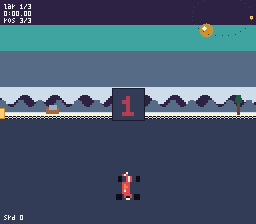 ▶ PLAY GPXMODE 7 RACING
Richer sprites, 32 colours, and Mode 7 landscapes. Build a bigger adventure—or one more lap.
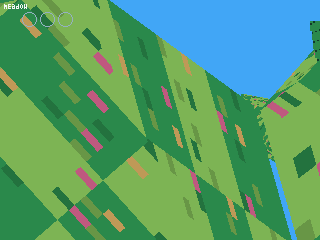 ▶ PLAY MEADOWLOW-POLY EXPLORATION
Textured triangles, low-poly worlds, and that unmistakable 3D wobble. Make somewhere to get lost.
That picture is the whole game.
Code, sprites, maps, and sound—all inside a real PNG. Keep it in a folder. Send it to a friend. Open it in the console and play.
Write some Lua. Draw a sprite. Give it a sound.
Save your game as one image. The cartridge is yours.
Share the original PNG. Your friend can play or remix it.
Game data lives in the low two bits of each RGBA channel—one byte per pixel. The visible label stays an image; the console reads the code and assets inside. Keep the original PNG intact: resizing or recompressing it can damage the game data.
Read the cartridge guide ↗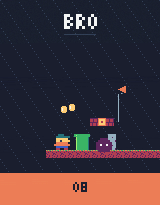 ↓ SAVE THIS GAME
A real game, not a mockup.
Load this PNG in the console to play.
An idea. A few iterations. A playable cart.
Make it yourself, or click build with an agent in the editor: copy the address it gives you into any MCP client, and the agent writes code, runs carts, inspects screenshots, and tries again — right on this site, no install. Here’s how an actual game came together.
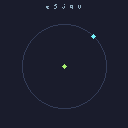 ACTUAL OUTPUT / O8
STEP 1
static scene first: title, ring guide, ship marker. something to verify against.
load_cartOKrunOKscreenshotOKstate_hashOK6ce4e0bdRecorded output and tool calls from the original session. Watch the full build ↗
One-click on the site, or the local CLI and stdio MCP when you prefer offline, repo-based workflows. One core either way.
Connect your agent ↗Same game. Same inputs. Same result.
A ranked replay starts fresh and records your buttons. Run it again and the machine produces the same frames and state hash. That makes scores verifiable and agent creations testable.
cart bytes + input log → frames + state hash
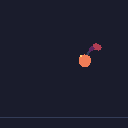
----------------Two independent O8 instances running here in your browser. Every frame and state hash is compared—not a prerecorded animation.
The browser and headless tools use the same deterministic core. A golden corpus checks expected frames and hashes on both hosts. The state hash checks RAM and the frame counter; replay verification reruns the cart from its initial state.
Read the compatibility commitment ↗Pick a cart. Or start with a blank screen.
The console, editor, and games are all in your browser. No install. No account. Just open a machine and see what happens.